

Did you know businesses can save up to $4,000 on SEO costs with Webflow? This platform makes it easy to achieve fast load times. It also keeps SEO problems away, letting you focus on a clean setup.
Optimizing your site early saves you from costly fixes later. Webflow’s clean code helps search engines find your pages quickly. Check out this comprehensive Webflow SEO guide for more on how early planning leads to great results. It offers strong SEO features without being too complicated.
Understanding the Webflow Platform for Better Search Rankings
In today’s digital world, getting to the top of search results can really boost your website traffic. Often, more than 25% of search traffic goes to the first result on the search engine results page (SERP). Webflow is an all-in-one solution that gives you design freedom and built-in SEO features.
This platform helps you tweak page titles, meta descriptions, and navigation. This makes your site more engaging for users. Plus, clean, semantic code helps search engines crawl your site faster. Real-time editing keeps your content up-to-date, which is good for rankings.
Responsive design also improves your site’s experience. This can lead to better visibility, as search engines prefer mobile-friendly sites. For more tips, check this ultimate guide on optimizing your Webflow site.
Developers and marketers can work together on Webflow without needing to code much. This shortens production times. With integrated hosting, you can manage SEO in one place. When everything works together, achieving better rankings becomes easier.
webflow seo: Core Features You Need to Know
Webflow offers strong tools for improving on-page elements. Its interface allows users to tweak each page’s details. This helps search engines understand the content’s purpose.
Many site owners see more organic visits when they match titles, descriptions, and content well.
Customizable Title and Meta Descriptions
Editing these fields is simple, making sure they include target keywords. Titles should be under 60 characters, and meta descriptions work best around 170 characters. These lengths help keep search results brief, boosting click-through rates.
Clean Code and Semantic Markup
Webflow creates clean HTML5, CSS3, and JavaScript. Search engines prefer sites with logical structures. This makes them scan sites faster.
With semantic markup, sites become clearer. This improves both user experience and indexing, leading to better visibility.
| Element | Recommended Max Length |
|---|---|
| Title Tag | 60 characters |
| Meta Description | 170 characters |
A Closer Look at Webflow vs WordPress for SEO
Many online experts debate which platform is better for site visibility. WordPress has over 810 million websites, showing its huge user base and strong community support. Webflow is a no-code solution with built-in SEO tools, making on-page optimization easier. A comparison shows how each platform handles optimization differently.
Key Differences in Site Structure
WordPress uses themes and plugins for site design. Webflow, on the other hand, has a clean, ready-to-use framework. WordPress sites often need extra steps for sitemaps or robots.txt, but Webflow does this automatically. Both offer flexible layouts to help express your brand.
Evaluating Plug-In Options
WordPress has over 59,000 plugins, including top SEO tools. Webflow has core SEO settings from the start, appealing to those who want simple setups. Some argue that fewer plugins mean fewer updates and faster sites.
Balancing Design Flexibility with Performance
Design is key, but slow sites can hurt rankings. Webflow supports lazy loading and image compression. WordPress relies on well-coded themes and caching plugins for speed. The best approach depends on your workflow and customization needs.
Optimizing On-Page Elements in Webflow
Improving each page’s elements boosts search visibility and keeps visitors interested. Using headings with key words guides users. Meta titles and descriptions under 155 characters help attract more clicks and increase time spent on the page.
Webflow SEO shines when you optimize image alt tags and create easy-to-use URLs. A short URL makes sharing easier and lowers bounce rates. Webflow also makes it simple to ensure your site works well on mobile devices, earning a “mobile-friendly” tag from search engines.
Some compare this to WordPress. But Webflow stands out by keeping important SEO settings in one place. This means you can focus on creating content that users love, without using many tools. Adding structured internal links helps visitors explore more of your site.
These steps lay a strong base for better page rankings. They follow best practices, like using relevant keywords, designing for mobile, and meeting user needs.
Is Webflow Good for SEO? Debunking Common Myths
Some think that platforms with fewer plugins can’t do much. Others believe that content must be a certain length to rank well. These myths can confuse brands looking to be seen more.
Google has said there’s no minimum word count for indexing. Even short content can attract a lot of visitors. For example, blog posts under 300 words can do great.
Understanding Technical SEO in Webflow
Advanced settings like custom robots.txt files and schema markup are in Webflow. It also has built-in SSL. This setup makes it easier for search engines to understand your site.
Users can handle sitemaps, canonical tags, and other key technical SEO tasks easily. This makes Webflow a solid choice for SEO.
Overcoming Perceived Limitations
WordPress is popular, but its performance can vary. This is due to plugins and hosting. Webflow, on the other hand, provides a solid base that helps improve page speed.
Recent studies show that being easy to use is more important for search rankings than domain ratings. This proves Webflow can be as good as, or even better than, traditional systems for SEO.
Leveraging Webflow SEO Tools and Plugins
Webflow makes it easy to improve your online presence. It comes with features like adjustable canonicals and auto-generated sitemaps. This means you don’t need as many add-ons.
WordPress, on the other hand, can be overwhelming with too many plugins. This can lead to security problems or conflicts. Whether WordPress is better for SEO depends on your site’s setup. Many find that a simpler platform helps them grow without the hassle of plugin updates.
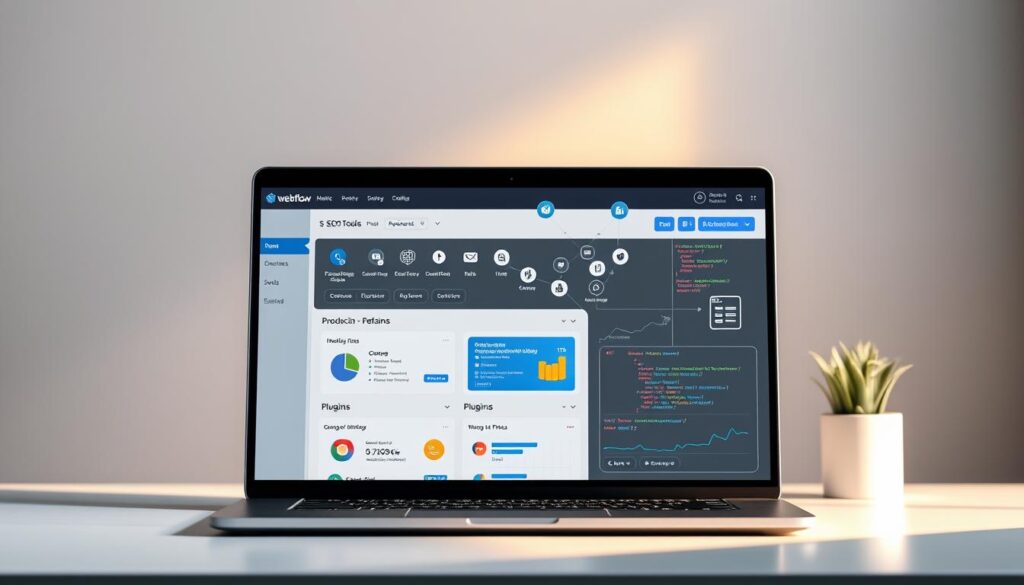
Even with Webflow’s built-in tools, you might want more. You can add extra analytics or specialized auditing tools. For example, SEMRush costs up to $499.95, and Ahrefs can be $999 for the enterprise level. Moz offers plans from $79 to $479, helping both small sites and big brands.
Built-In vs. Third-Party Solutions
Some developers like Webflow Apps for their ease. Others use third-party scripts for schema or backlink analysis. Tools like fluidSEO make JSON-LD integration easy, and LinkNavigator helps with internal linking.
Semflow is $15 a month for a monthly plan or $8 a month annually. This gives you a 53% discount.
Best Practices for Implementation
Choose tools that fit your traffic goals. Make sure each plugin is secure and has reliable support. Regularly check your site’s performance to catch any issues early.
This approach improves seo in Webflow while keeping your site fast and easy to use.
Comparing Site Speed: Webflow vs WordPress
Site speed can affect how long visitors stay and what they do. Some wonder if they should choose webflow or divi. But speed is key. WordPress themes can be heavy, slowing things down. Adding more plugins can make it even slower.
Webflow uses a built-in CDN and simplifies code for quick loading. This helps with seo on webflow by making pages load fast. Its hosting is lean, avoiding the problems that come with many WordPress parts.
- Code minification is automatic in Webflow
- WordPress relies on theme efficiency and plugin updates
- Both benefit from well-structured content and responsive design
Many see Webflow as a top no-code tool. Its focus on fast performance makes it stand out. For more on performance, check out
this comparison.
| Factors | Observations |
|---|---|
| Hosting | Webflow includes CDN; WordPress requires separate hosting plans |
| Code Quality | Webflow keeps code lean; WordPress may have extra bulk from plugins |
Using Webflow for Seamless SEO Without WordPress
Some businesses do well with platforms that mix design and optimization. Webflow is a standout for its all-in-one environment. It handles meta tags, structured headings, and image alt text. This makes it perfect for SEO without WordPress because it covers all key areas in one system.
Using WordPress might require extra plugins for tasks Webflow does automatically. This means fewer problems when updating site elements. Webflow sites often meet Core Web Vitals benchmarks, thanks to their fast loading speeds.
Eliminating Plugin Dependencies
Too many plugins can slow down pages and cause compatibility issues. Brands that don’t want to deal with many add-ons find Webflow simple. It has all the key features built-in, which improves site stability and user experience.
Maintaining a Simple Tech Stack
A simple backend reduces security risks and makes troubleshooting easier. Businesses can focus more on creating content without worrying about plugin updates. Webflow’s native SEO options, like lazy loading and flexible metadata, help marketers stay agile.
| Webflow Feature | Benefit | SEO Impact |
|---|---|---|
| Automatic Sitemaps | Efficient Indexing | Higher Visibility |
| Lazy Loaded Images | Faster Performance | Better Rankings |
| Built-In CDN | Global Reach | Stable Load Times |
Enhancing User Experience with Webflow and SEO

Making a website easy to use can really help keep people interested. Fast websites often rank higher because Google uses Core Web Vitals to check how well content works. A one-second delay can hurt conversions, showing how important speed and design are.
More than 80% of people use mobile devices to browse, so making sites mobile-friendly is key. Companies that update their Webflow sites see up to a 40% drop in bounce rates. This shows how good design and SEO go hand in hand.
- Flowdrive helps improve load times by converting images to WebP and employing global CDNs.
- Lightweight media boosts site responsiveness and lowers bandwidth costs for Webflow users.
- Positive user signals, such as dwell time, encourage better rankings.
Putting users first in design decisions can turn casual visits into lasting connections. This focus on users builds trust and helps sites show up more in search results.
Working with a Webflow SEO Consultant or Company
Managing your site’s performance can be overwhelming. A specialist who knows Webflow and SEO well is essential. Many business owners seek help when they learn 75% of users only look at the first page of search results.
Experts at places like Red Shark Digital use best practices. Websites with SEO get 14 times more organic traffic. So, finding an experienced agency can help you grow faster.
How to Choose the Right Expert
Look at their work and what others say. Ask about their knowledge of WordPress. Knowing seo per wordpress helps understand Webflow’s unique SEO tools.
Setting Measurable Goals
Clear goals protect your investment. You might aim to increase domain authority or boost search leads. Tools like Google Analytics and Google Search Console track these goals in real time. This keeps your Webflow site competitive.
Future Trends: Is Webflow Better than WordPress?
Digital platforms change fast. Fast-loading sites are favored by search engines. Webflow is great for those who want quick site updates and SEO tools.
WordPress is the top choice with over 43.5% market share. It has a huge community and lots of plugins. Webflow updates quickly but has fewer apps. The choice between them depends on your goals and resources.
Webflow is seen as a future leader by many developers. It’s easy to use and meets high user experience standards. WordPress is best for big projects or complex integrations. Both aim to create fast, SEO-friendly websites for today’s online users.
| Feature | WordPress | Webflow |
|---|---|---|
| Plugin Count | 60,000+ | 210+ |
| Themes/Templates | 11,900+ | 2,000+ |
| Market Share | 43.5% of all sites | 1% of all sites |
| SEO Tools | Plugin Based | Built-In |
Conclusion
Webflow now has 1.1% of the market, up by more than 50% recently. WordPress leads with 62.6%, but some like Webflow for its flexibility and ease of updates. Webflow uses AWS and Fastly for fast loading and secure sites.
Pages on Webflow score well on Google PageSpeed Insights, with 84 on mobile and 96 on desktop. This is key in today’s mobile-first world. It also helps with search engine crawling thanks to custom URLs and clean code.
Having a Webflow SEO expert can help you get the most out of these features. The choice between Webflow and WordPress depends on your needs and budget. Choose wisely to support your growth and user experience.
FAQ
Is Webflow good for SEO even without a plugin?
Yes, Webflow is great for SEO without plugins. It has features like customizable meta tags and fast hosting. This makes it easy to optimize your site without extra add-ons.
How does Webflow compare to WordPress for SEO?
Both Webflow and WordPress can help with SEO. Webflow’s built-in features mean you don’t need many plugins. This can make your site faster and easier to manage.WordPress also works well for SEO, but it often needs plugins to reach its full SEO power.
Can I handle SEO without WordPress?
Absolutely. Webflow is a complete platform for design, hosting, and SEO. It keeps your site fast and easy to update, without plugin issues.
What if I need advanced features like schema markup or a global CDN?
Webflow has you covered. You can add schema markup and use its global CDN. These features help with SEO without needing extra plugins.
Is a Webflow SEO consultant worth it?
Yes, if you need expert help. A “Webflow SEO consultant” can improve your site’s rankings quickly. They know the best ways to optimize your site for long-term success.
How does Webflow’s speed compare to Divi on WordPress?
Webflow is often faster than Divi on WordPress. Its lean code and CDN help your site load quickly. This is a big advantage for those who value speed.
Is WordPress best for SEO?
WordPress is a strong choice for SEO, with the right setup. It’s best if you like customization and managing plugins. But Webflow’s integrated approach might be easier for some users.
Can Webflow scale as my business grows?
Yes, Webflow can grow with your business. It supports small sites and large e-commerce stores. You can easily add pages and refine SEO as your site grows.
